Traffic Lights: Complete and Practical Guide

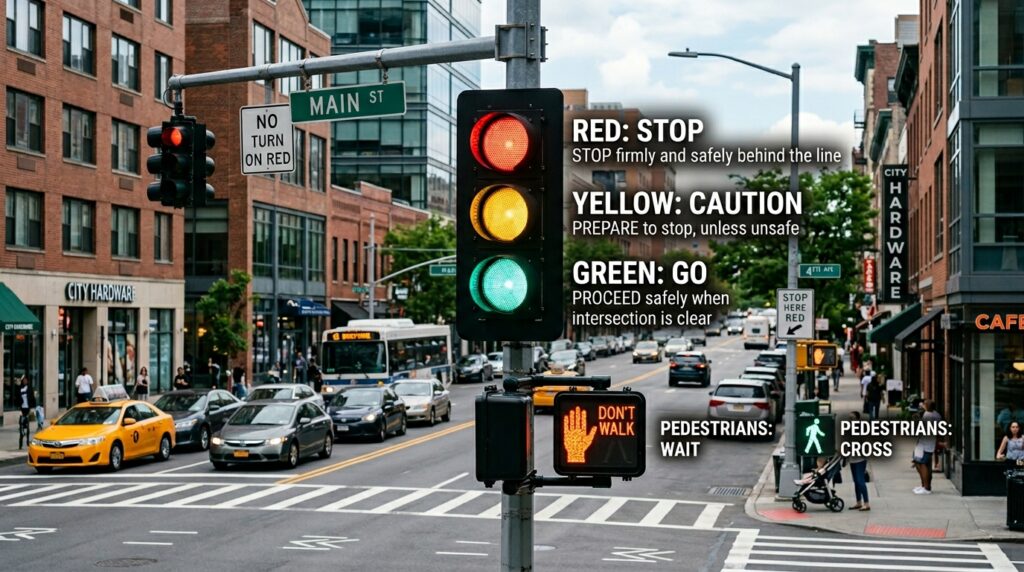
Waze finally releases the feature drivers have been asking for for months — and it changes how you read the road before you even reach it.
That tiny icon matters more than it sounds. When Waze finally releases the feature drivers have been asking for for months, it stops being just a live-traffic app and starts acting a little more like a road-aware co-pilot.
And there’s a catch: you may not see it yet. The rollout is happening from the server side, so two drivers with the same app version can have completely different maps today.
Why This Small Update Feels Bigger Than It Looks
The formal name of the feature is simple: traffic light display on the map. In plain English, Waze is now showing where traffic signals sit along your route, not just where traffic jams and hazards are waiting.
That sounds minor until you drive an unfamiliar boulevard at night, miss the rhythm of the lights, and end up braking hard at the last second. With traffic lights visible earlier, you get a visual cue that helps you ease off the accelerator, plan a lane change, and avoid that annoying “I almost overshot the turn” moment.
That is exactly why Waze finally releases the feature drivers have been asking for for months feels like a bigger upgrade than a shiny redesign. It improves anticipation, and anticipation is half of safe driving.
In practice, what happens is this: you see the intersection sooner, you process the road geometry sooner, and you stop treating every red light like a surprise. Small difference. Real effect.
The Trick Behind the Rollout: Why Some Drivers See It and Others Don’t
This feature is not tied to a normal app update. It is being switched on from Waze’s servers, which means the app can look identical on your phone while the map behavior changes behind the scenes.
That’s the part most people miss. A lot of users assume “no update” means “no feature,” but server-side activation is how platforms roll out new mapping layers, A/B tests, and regional releases without making everyone download a fresh build.
Waze has used this approach before, and it keeps the company flexible. The downside is obvious: you may read about the feature, refresh the app, and still see nothing. Patience wins here.
Server-side rollout is a blessing for platforms and a headache for impatient users. It lets Waze expand carefully, but it also creates the classic “my friend has it, I don’t” frustration.
That uneven rollout also hints at something else: Waze is still testing how the feature performs in real navigation, and that makes the next question more interesting — who is actually getting it first?
Who’s Getting Traffic Lights in Waze Right Now?
The first reports are coming from the United States, where users have started spotting traffic-light icons both during navigation and on the standard map view. That usually means a feature has moved beyond a closed test and into broader distribution.
Not every road will behave the same way, though. Some intersections are dense with mapped data, while others are still messy or incomplete. Mapping permanent road elements sounds easy from the outside, but anyone who works with geospatial data knows the reality is full of edge cases.
That’s why Waze finally releases the feature drivers have been asking for for months may appear polished in one city and half-baked in another. Road infrastructure data depends on local coverage, map quality, and how often those details are verified.
- You may see traffic lights on major roads before neighborhood streets.
- Some icons may appear in navigation mode but not in every map zoom level.
- Availability can shift without warning as rollout expands.
And there’s a practical lesson here: if the icon is missing on your route today, that does not mean your phone is broken. It may just mean your region is still waiting in line.
What Changes for You on Real Drives
This is where the feature stops being a “nice to have” and starts earning its place on the screen. Traffic-light markers can help you slow down progressively instead of stabbing the brakes at the last possible moment.
That matters for three reasons. First, it makes driving smoother. Second, it helps on long stretches where the next intersection comes out of nowhere. Third, it can reduce the little bursts of wasteful acceleration and braking that burn extra fuel and make every commute feel jerky.
Here’s the comparison that makes it click: before, Waze warned you about what was happening right now; now it also helps you anticipate what the road will ask of you next. That is a different kind of usefulness.
Live traffic tells you what the road is doing. Traffic-light visibility tells you what the road is about to demand from you.
One driver I watched on a busy avenue did something telling: instead of accelerating through a green light and hoping the next intersection would cooperate, he eased off earlier because the map showed the next signal cluster. No drama. No sudden brake. Just a smoother line through the block.
Why This Puts Waze Closer to Google Maps and Apple Maps
For years, Waze’s identity was clear: it was the app for live reports, police alerts, crashes, and traffic chaos. Google Maps and Apple Maps already showed more permanent road context in some places, while Waze leaned hard into crowd-sourced immediacy.
Now that balance is shifting. With traffic lights on the map, Waze starts showing structural elements of the road network, not just temporary events. That makes it feel less like a rumor mill for commuters and more like a layered navigation tool.
If you want the broader mapping context, Google’s own guidance on map and location data is a useful reference point, especially through Google Maps. For road safety and driving behavior, the U.S. National Highway Traffic Safety Administration has long emphasized the value of anticipating hazards instead of reacting late.
That said, no map app is omniscient. Traffic-light icons can help, but they are not a substitute for what you see through the windshield. Map data can lag, local coverage can vary, and roadworks can rewrite the scene in a day.
The smartest drivers will treat the icon as a heads-up, not a promise. That’s the sweet spot — useful, but never blind trust.
What to Watch for Next as the Feature Spreads
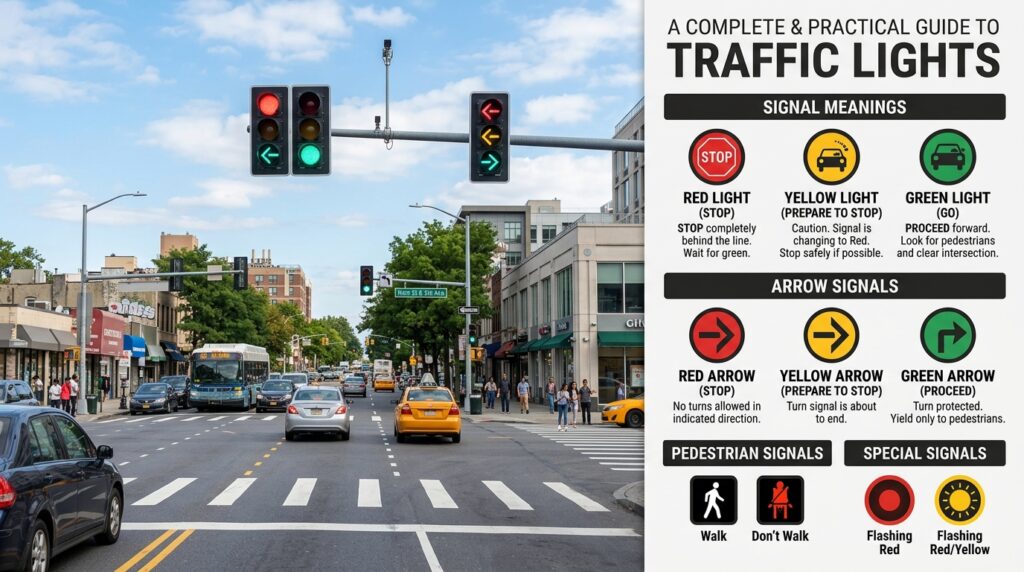
The most interesting part may not be the launch itself, but what comes after it. Once Waze finishes rolling traffic lights out more widely, the app could become noticeably better at reading the road ahead, not just the road around you.
That raises a bigger question: what other permanent road features will Waze start surfacing next? Stop signs, lane restrictions, bus-only segments, and more detailed intersection behavior would all fit the same logic.
Waze finally releases the feature drivers have been asking for for months, and that usually means the real story starts after the first icon appears. Features like this tend to open the door to a more detailed map experience, where navigation becomes less reactive and more predictive.
There is one useful rule of thumb here: if the map starts helping you think one block ahead instead of one second ahead, it is doing more than navigation. It is shaping behavior.
And maybe that is the quiet revolution. Not faster directions. Not louder alerts. Just a calmer driver who reaches the same intersection with fewer surprises.
Sometimes the smallest icon on the map is the one that changes your whole pace behind the wheel.
FAQ
What Exactly Did Waze Add?
Waze is starting to show traffic lights directly on the map and during navigation. The feature helps drivers identify intersections earlier and prepare for stops, turns, and lane changes with more confidence. It is a mapping layer, not a driving assist system, so it supports your awareness rather than replacing it. The rollout is still expanding, so availability can differ by region and account.
Why Don’t I See the Traffic Light Icons on My Phone?
Because the rollout is controlled on Waze’s servers, not just by a standard app update. That means two people with the same version can have different features active. It may also depend on your location, map coverage, or whether your region has entered the broader release phase. If it is not there yet, the app may simply not have flipped your account on.
Does This Feature Make Driving Safer?
It can improve anticipation, which often leads to smoother and more attentive driving. Seeing traffic lights ahead can reduce hard braking and give you more time to prepare for turns or lane shifts. Still, safety depends on how you use the information. You should always rely on real-world road conditions first, because map data can lag behind what is happening in front of you.
Is Waze Copying Google Maps and Apple Maps?
Not exactly. Google Maps and Apple Maps already offered similar road-context information in some areas, but Waze has always leaned more heavily on live, crowd-sourced alerts. Adding traffic lights brings Waze closer to feature parity while keeping its real-time strengths. It looks less like copying and more like Waze catching up on a map layer users had started expecting.
What Should I Do Differently When the Feature Appears?
Use the icons as an early cue, not as a command. Start easing off sooner when you see a signal ahead, and give yourself more space for braking and lane changes. That is the practical win here: fewer last-second reactions and a calmer drive. If the map seems inaccurate, trust your eyes over the screen and adjust accordingly.
Editorial Notice
This content was structured with the assistance of Artificial Intelligence and subjected to rigorous curation, fact-checking, and final review by Editor-in-Chief Nivailton Santos. TechTool Judge reaffirms its unyielding commitment to journalistic ethics, ensuring that editorial judgment and data validation remain entirely under human responsibility and final editorial oversight.