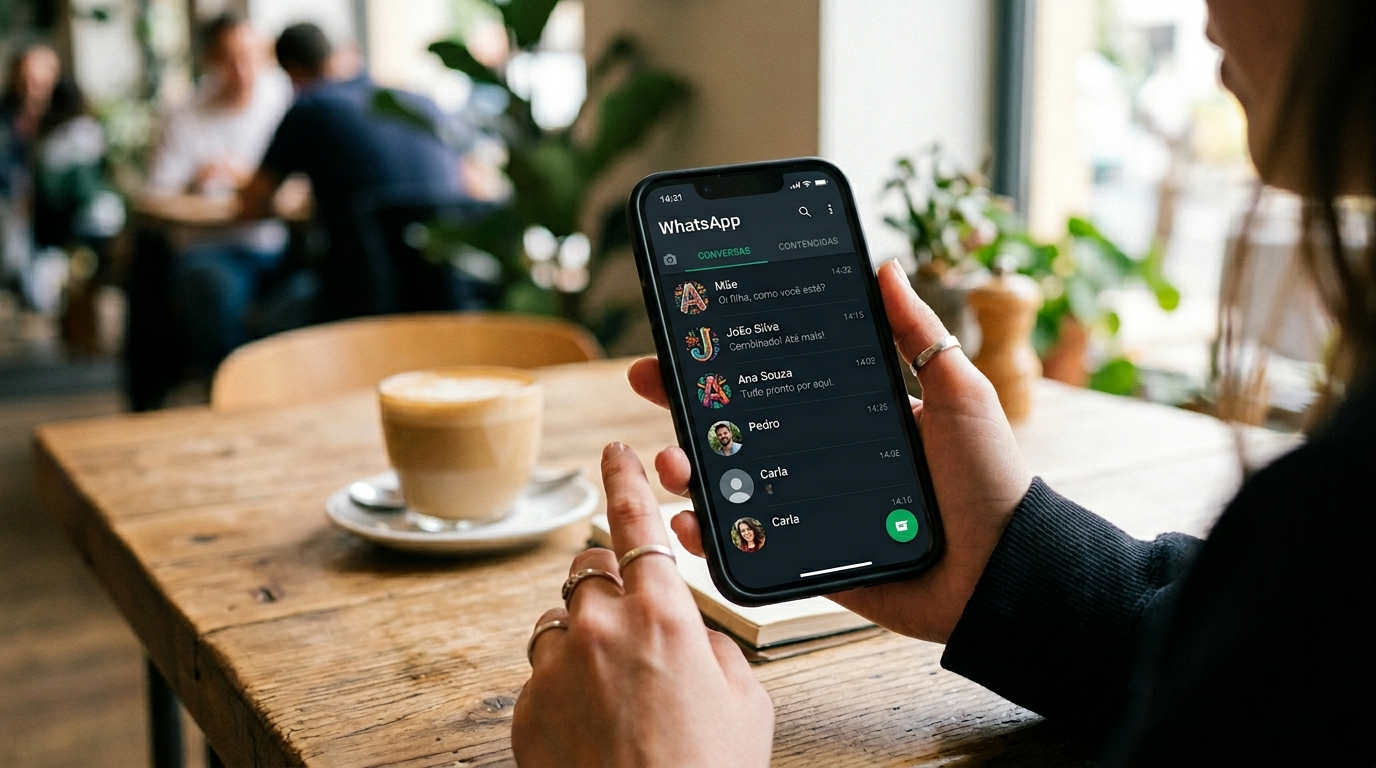
WhatsApp will finally end the annoyance of contacts without photos by restoring a practical visibility feature: when a person has no profile picture in the app, WhatsApp can show the photo saved in the phone’s address book instead. Technically, this is a contact-resolution layer that pulls the device’s stored identity image and uses it in the chat list and inside the conversation, reducing ambiguity without requiring the other person to change anything.
This matters now because the app has spent years prioritizing a clean, minimal interface while leaving users with a real operational problem: identical gray placeholders slow down recognition, increase mis-taps, and make everyday messaging less efficient. In practice, the change is small on paper and large in use. Anyone managing family chats, customer conversations, work groups, or a heavily used address book knows that visual cues save time.
There is also a broader product signal here. WhatsApp, owned by Meta, has been gradually refining how identity, privacy, and usability coexist. Restoring address-book photos is not a cosmetic tweak; it is a usability correction that acknowledges how people actually manage contacts on a phone. According to WhatsApp’s Help Center, the app already relies on contact and privacy settings to determine what each user sees, and this update fits that model rather than fighting it.
Key Takeaways
- The feature displays the photo stored in the phone’s contacts when the WhatsApp profile image is missing, making identities easier to recognize at a glance.
- This is a return of a previously removed Android behavior, which suggests WhatsApp is correcting a usability gap rather than introducing a brand-new concept.
- The change reduces friction in both the chat list and inside conversations, where visual confirmation matters most.
- Privacy boundaries still apply: the photo used by WhatsApp comes from the device’s address book, not from a public profile search.
- The update helps users who manage many contacts, but its effectiveness depends on accurate contact syncing and a properly saved address-book photo.
WhatsApp Will Finally End the Annoyance of Contacts Without Photos by Reusing Address-Book Images
What the Feature Actually Does
At a technical level, the update uses the contact record stored on the device as a fallback avatar when the WhatsApp account itself has no profile photo. That means the app resolves identity through the phonebook first, then through the platform profile if one exists. In plain language: if your contact has a picture saved in your address book, WhatsApp can show that picture instead of the default empty silhouette.
The practical effect is immediate. In a crowded chat list, the brain processes faces faster than names, and that matters when several contacts use similar names, business accounts, or unfamiliar numbers. The feature also helps inside a chat thread, where a visible photo reduces the chance of messaging the wrong person. This is not a vanity enhancement; it is a recognition tool.
Why This Was Removed on Android Years Ago
WhatsApp previously offered this behavior on Android, then removed it. The usual explanation in product design circles is that messaging apps often retreat from contact-list integration when privacy concerns, inconsistent syncing, or design simplification become more important than convenience. That tradeoff makes sense on paper, but it creates a usability debt that users keep paying for every day they scroll through gray placeholders.
Who works in mobile UX knows the pattern: a cleanup decision solves one problem and quietly creates three others. Here, the app prioritized a flatter interface, but many users lost a low-cost identity cue they had already been using. Bringing the feature back suggests WhatsApp now sees enough value in contextual identity to justify the extra complexity.
Why the Timing Matters Now
The timing is tied to scale. WhatsApp remains one of the most widely used messaging platforms in the world, and even small friction points become significant when billions of interactions happen every day. A feature that saves a second or two per conversation sounds trivial until it is multiplied across work groups, family threads, and support conversations.
It also reflects a broader shift in messaging expectations. Users no longer accept rigid app behavior when the phone already holds better context. Modern software is expected to assemble identity from multiple signals: saved name, photo, number, and app-level profile. The app is finally leaning into that principle.
How the Identity Layer Works Across Contacts, Chat List, and In-Chat Views
Contact Resolution in Simple Technical Terms
Contact resolution is the process a messaging app uses to match a phone number to an identity record. In this case, the app checks the local address book and the WhatsApp profile state, then chooses the best available visual representation. If the account has a profile picture, that can still take priority; if not, the saved contact photo becomes the fallback.
This matters because users often confuse “saved in contacts” with “visible in WhatsApp.” Those are separate systems. The phonebook lives on the device or in cloud sync, while WhatsApp handles its own profile data and privacy rules. The new behavior bridges those systems without forcing users to change settings manually.
Where the Photo Appears
The enhancement is designed to show up in at least two high-frequency places: the conversation list and the chat window itself. That matters because recognition is needed before opening a thread and again once the thread is open. A visual cue at only one point solves part of the problem; placing it in both views reduces confusion during fast switching.
For people who manage many contacts, this is where the win is real. A gray placeholder forces the user to read names every time. A photo lets the brain group people by appearance, which is faster and more reliable when names repeat or when chats are archived, muted, or pinned.
What Can Prevent It from Working
This feature is helpful, but it is not magical. If the address-book photo is missing, outdated, duplicated, or blocked by sync issues, WhatsApp has nothing useful to display. The same is true when the app does not have the necessary access to contacts, or when the operating system has interrupted syncing between the phonebook and cloud services such as Google Contacts.
That is the main limit of the update: it improves identification, but only as well as the underlying contact data. In other words, it works best in organized phonebooks and degrades in messy ones. That limitation is normal, not a flaw unique to WhatsApp.
Why This Small Change Improves Everyday Messaging More Than It Looks
Recognition Speed Reduces Avoidable Mistakes
The strongest argument for this update is not aesthetic; it is cognitive. Human attention is limited, and messaging apps compete for it constantly. When a user sees the right photo immediately, the brain can confirm identity faster than by reading a name, especially if the contact list includes many similar names or business entries.
In practice, what happens is that misdirected messages drop, especially in active households and work settings. I have seen cases where one shared surname or one repeated first name caused repeated back-and-forth because the chat list looked nearly identical. The photo fallback removes that kind of friction before it turns into a mistake.
It Helps Both Personal and Professional Use
For personal messaging, this feature helps with relatives, school groups, and community chats where not everyone uses a profile image. For professional use, it is even more useful. Sales teams, support agents, and small-business owners often keep contact photos in the phonebook even when the customer or partner never set a WhatsApp picture.
That gives the app a more reliable visual index. Instead of relying on whatever each user chose inside WhatsApp, it can leverage the organization already present in the device’s address book. For anyone handling high message volume, that is a meaningful quality-of-life improvement.
It Also Reduces the “empty Profile” Problem
Messaging interfaces become visually noisy when many contacts appear as blank circles. The interface is not broken, but it feels unfinished. A contact photo stored in the phonebook fills that gap with a real human marker, which makes the list easier to scan and less fatiguing over time.
This is one reason the feature feels overdue. Products often chase major redesigns while leaving small interaction pain untouched. Yet these micro-frictions are what users notice first in daily behavior. A cleaner list is not just prettier; it is easier to operate.
Privacy, Sync, and Platform Limits: What Users Should Expect
Privacy Boundaries Still Matter
It is important not to confuse contact-photo fallback with a public profile exposure feature. WhatsApp is not creating new access to someone’s private data. It is using the photo the device owner already stored in the address book. That distinction matters because the visual appears from the local contact record, not because the app has suddenly started exposing hidden account details.
That said, privacy expectations are not identical across all users. If one person maintains a photo in the phonebook and another expects a blank entry, the visual result may feel surprising. This is one area where product convenience and user expectation can diverge. The app solves identification, but not everyone will agree on whether every saved contact photo should be surfaced.
Sync Quality Determines the Experience
The feature depends heavily on how well the phone’s contact sync works. If Google Contacts or another sync layer is out of date, WhatsApp may display old pictures or incomplete records. On Android, that can happen when the phonebook and the device cache are not aligned, especially after changing phones or restoring backups.
This is why contact hygiene matters. A good photo in a stale record is still better than no photo, but the result can be misleading if the data is outdated. The app can only display what it can read. Users with multiple accounts, dual SIM setups, or mixed cloud sources should expect occasional inconsistencies.
Why the Feature May Behave Differently on Android and IPhone
Platform behavior is never identical. Android tends to expose more flexibility in contact handling, while iOS keeps tighter control over how apps access and present contact data. That means the rollout, the timing, and even the exact visual behavior can differ by device family and app version.
The official documentation from Google Contacts Help is useful here because it shows how address-book data is stored, synced, and edited at the account level. For Apple users, the same principle applies through the Contacts app and iCloud sync, although the UI behavior may not mirror Android one-for-one.
What This Signals About WhatsApp’s Product Strategy and Meta’s Priorities
Usability is Regaining Ground over Minimalism
This update is a signal that WhatsApp is willing to reintroduce practical features that improve day-to-day navigation, even if they add a small layer of visual complexity. Product teams often chase a “clean” interface, but clean is not always better when it strips away helpful context. WhatsApp appears to be recalibrating that balance.
That shift aligns with broader industry behavior. Messaging products now compete less on basic chat capability and more on workflow efficiency, identity management, and small-time-saver features. A visible contact photo is one of those features that sounds minor in a changelog and becomes indispensable in use.
Meta’s Ecosystem Benefits from Better Identity Signals
Meta has a clear incentive to make identity more legible across its products. WhatsApp sits inside a much larger ecosystem where contact relationships, business messaging, and user recognition all matter. A richer identity layer makes the app feel more coherent and more trustworthy in everyday use.
That does not mean every rollout will be universal or immediate. WhatsApp often tests features gradually, and users on different builds may see different behavior. According to reporting from TechCrunch, WhatsApp feature testing frequently moves in phases before a wider release, which is normal for a platform this large.
The Competitive Angle is Real
Messaging rivals such as Telegram and Signal have built reputations on speed, privacy, or flexibility, but WhatsApp still wins on reach. A user may tolerate a weaker interface if everyone else is already there; that said, friction adds up. Improvements like this help WhatsApp defend its position without asking users to learn a new workflow.
The market lesson is simple. If your app becomes the default communication layer for a household or business, tiny annoyances become strategic weaknesses. Fixing them is not cosmetic maintenance. It is retention work.
How to Get the Most Out of the Feature Once It Reaches Your Device
Audit Your Contacts Before Relying on the Update
The first step is to clean up the phonebook itself. Photos should be current, names should be standardized, and duplicate entries should be merged. If a contact is saved three times with different numbers and one old photo, the new WhatsApp behavior will not solve the underlying confusion.
For users who manage dozens or hundreds of contacts, a quick audit pays off fast. The feature is most effective when the data behind it is organized. Think of it as a multiplier: good contact hygiene makes the visual fallback genuinely useful.
Check Sync Permissions and Contact Access
If photos do not appear as expected, the first troubleshooting step is permissions. WhatsApp must be allowed to access contacts, and the operating system must be syncing the address book properly. On Android, that can involve checking app permissions, account sync settings, and whether Google Contacts is up to date.
It is also worth checking whether the contact photo lives locally or only in a disconnected account. A photo saved in the wrong place may never propagate to the app view. The simplest fix is often the right one: verify the contact record, refresh sync, and reopen the app.
Use the Feature as a Workflow Tool, Not Decoration

The smartest way to use this change is to treat it as part of communication workflow. Business users can prioritize customer photos in the address book, families can save clear portraits for relatives, and team leads can keep project contacts visually distinct. That turns the app into a faster interface, not just a prettier one.
Here is a practical comparison of how the change affects real usage:
Scenario Without Address-Book Photo With Address-Book Photo Many similar names Higher chance of scanning errors Faster recognition by face Support or sales inbox Slower triage Cleaner contact identification Family and group chats More visual ambiguity Easier distinction between contacts Outdated contact data Still confusing Still confusing; fix the record first
Próximos Passos Para Implementação
The right response to this change is not passive waiting. It is making the contact database more useful before the feature becomes ubiquitous on your device. If the phonebook already holds clear photos, consistent names, and synced accounts, WhatsApp’s new behavior will pay off immediately. If the data is messy, the update will expose that mess rather than hide it.
The strongest recommendation is to treat contact management as part of communication infrastructure. That is especially true for people who rely on WhatsApp professionally or who manage large personal networks. When the rollout reaches your app version, the benefit will be largest for users who prepared the underlying address book.
For broader context on contact syncing and app behavior, two reliable references are Google Contacts Help and WhatsApp’s Help Center. Those sources clarify what the app can read, what the system stores, and where the limits start. The next step is practical: verify permissions, clean duplicate entries, and make sure the photos in your contacts are current.
FAQ
Will WhatsApp Show Every Contact Photo from My Phonebook?
Not necessarily. The app can only display photos that are available through the contact record and allowed by the device’s sync and permission settings. If a contact has no saved photo, or if the record is incomplete, WhatsApp may still fall back to the default placeholder. The exact behavior can also vary by platform version and rollout stage.
Does This Feature Expose Private Profile Photos from Other People?
No. The feature uses the photo stored in your device’s address book, not a secret or hidden WhatsApp profile image. That means the image comes from the contact information you already saved on your phone. The change improves recognition, but it does not bypass WhatsApp’s privacy model or reveal data that your device does not already hold.
Why Would WhatsApp Bring Back a Feature It Removed Years Ago?
Because usability problems do not disappear just because a product team simplifies the interface. A contact photo fallback reduces confusion in busy chat lists and makes identity clearer in everyday use. Product teams often remove features for consistency or privacy reasons, then bring them back when the real-world cost becomes obvious. That is what this looks like.
What Should I Check If the Photo Does Not Appear?
Start with contact permissions, sync status, and the actual address-book record. If the photo is outdated or stored in a disconnected account, WhatsApp may not show it correctly. On Android, Google Contacts sync is a common place to inspect; on iPhone, the Contacts app and iCloud settings matter most. If the data is not clean, the app cannot improve it on its own.
Is This Update Useful for Business Accounts Too?
Yes, especially for users who handle many customer or partner contacts. A visible photo makes it easier to separate similar names and reduces errors when switching quickly between threads. That said, it works best when the business keeps its contact records current. If the address book is messy, the visual benefit shrinks fast.
Does the Feature Work the Same on Android and IPhone?
Not always. Android historically gives apps more flexibility in contact presentation, while iPhone tends to enforce tighter system behavior. The general idea is the same, but the rollout timing and the way photos appear can differ by device and app version. That is why the result should be tested on the actual phone, not assumed from another platform.
Editorial Notice
This content was structured with the assistance of Artificial Intelligence and subjected to rigorous curation, fact-checking, and final review by Editor-in-Chief Nivailton Santos. TechTool Judge reaffirms its unyielding commitment to journalistic ethics, ensuring that editorial judgment and data validation remain entirely under human responsibility and final editorial oversight.